How to Create a QR Code for Restaurants in Canada?
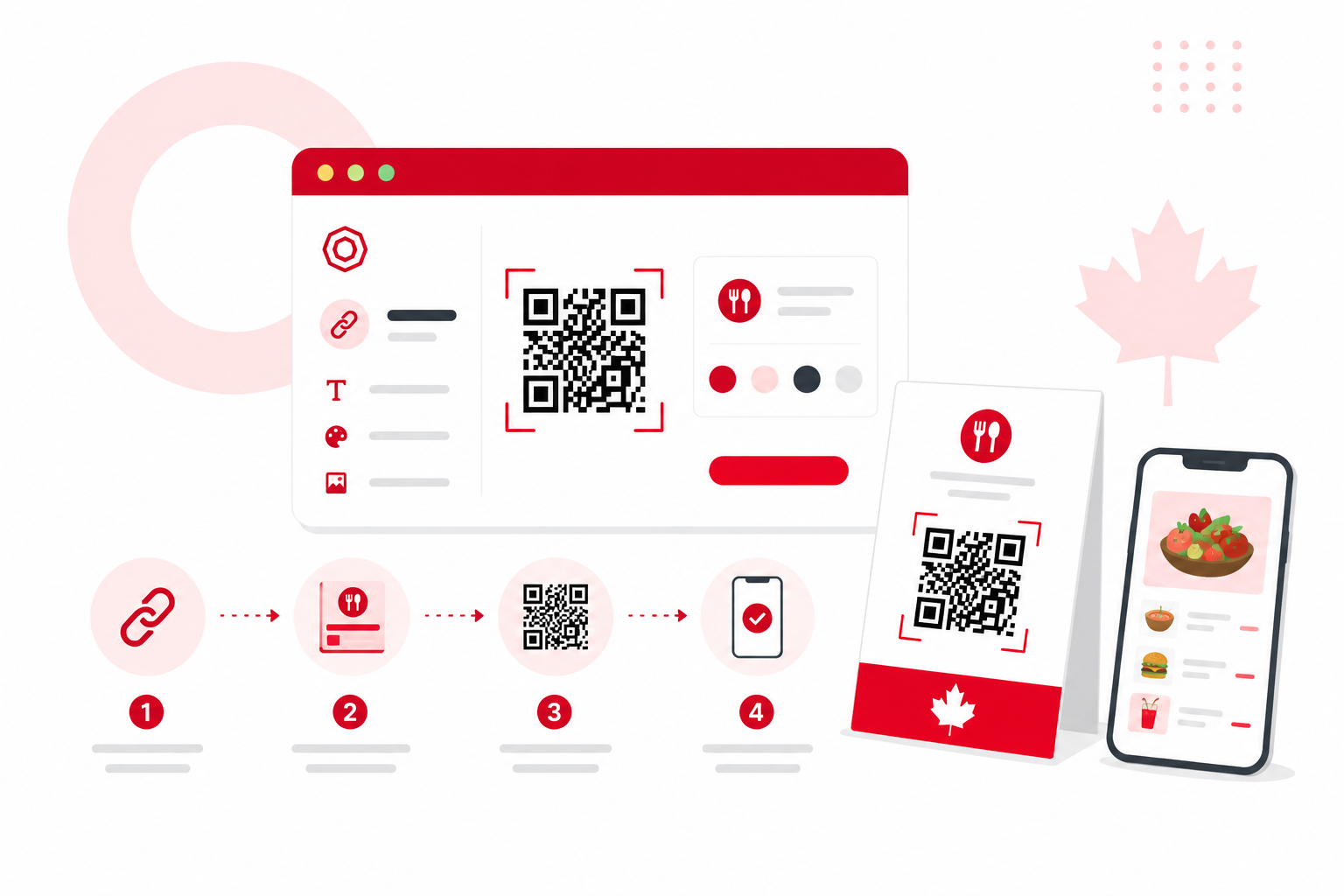
Creating a QR code for your restaurant takes about ten minutes. Put your menu online as a mobile-friendly web page, paste that link into a QR code generator, download the code as a high-resolution file, then print and test it on a few phones before it reaches a table.
Key takeaways
- A restaurant QR code is just a scannable link to your online menu. The hard part is choosing what it points to and printing it so it scans every time.
- Pick a dynamic QR code if your prices, specials, or hours change. Pick static only if the link behind it will never change.
- Modern iPhones and most Android phones scan QR codes straight from the camera app, so customers do not need a separate app (Apple Support; Google).
- Print at least about 2 cm wide for close-up table scanning, and size up for codes seen from a distance. Always keep the blank margin (Quiet Zone).
- In Canada, plan for bilingual menus where they apply, for accessibility, and for a no-phone fallback. A QR code should add convenience, not take away access.
Why QR menus make sense for Canadian restaurants?
Almost everyone you serve is already carrying the only device they need to read a QR menu.
Internet use among Canadians aged 15 and older reached 95% in 2022, up from 92% in 2020, and 84% of Canadians had access to the internet through a mobile data plan for personal use that year (Source: Statistics Canada, 2022). So a guest can open your menu on their own phone, on their own data, without you handing them anything.
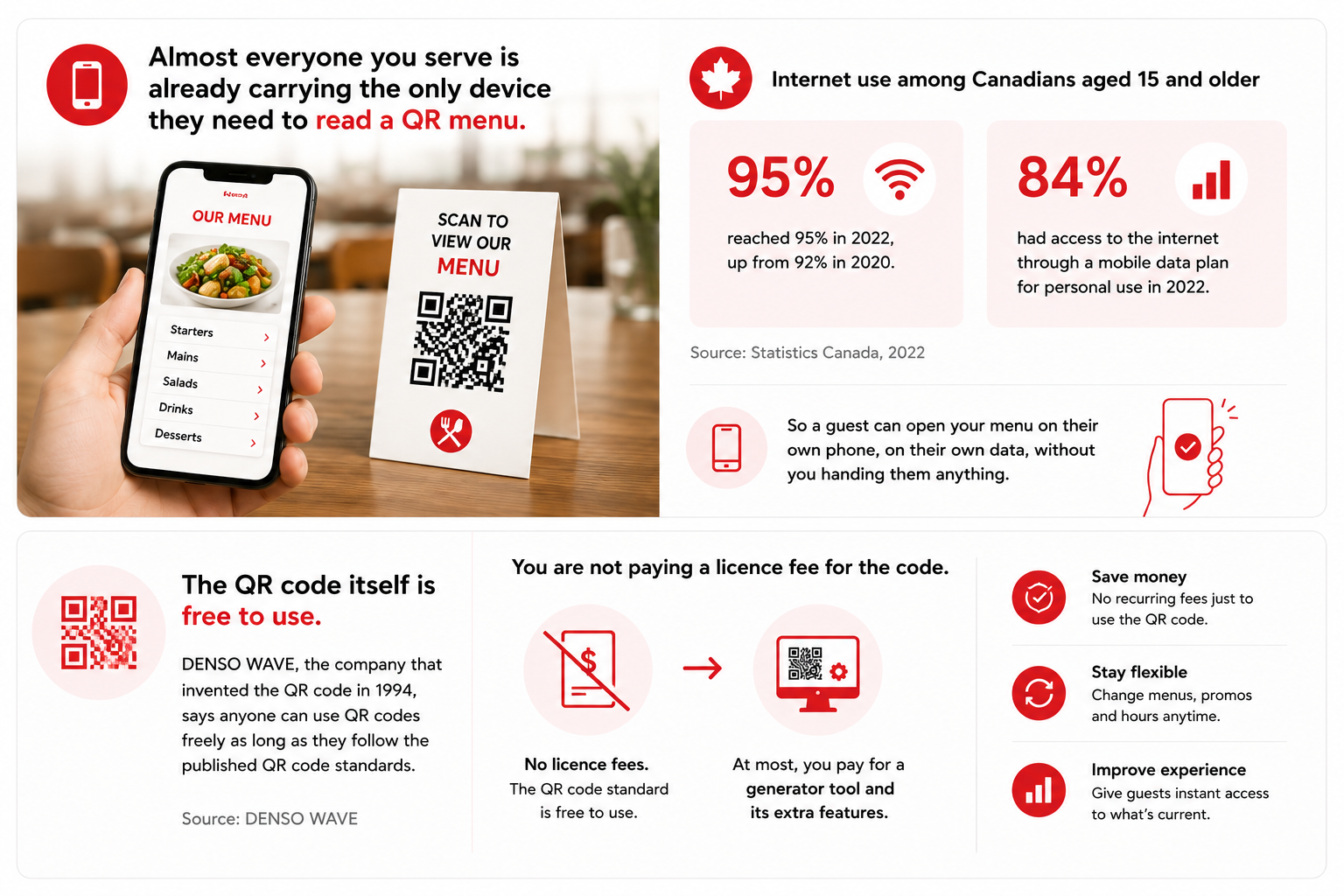
The QR code itself is free to use. DENSO WAVE, the company that invented the QR code in 1994, says anyone can use QR codes freely as long as they follow the published QR code standards (Source: DENSO WAVE). You are not paying a licence fee for the code. At most you pay for a generator tool and its extra features.
What a restaurant QR code actually is?
A QR code is a square barcode that stores a piece of information. For a restaurant, that information is almost always a web link to your menu.
When a guest points their phone camera at it, the phone reads the link and opens your menu in a browser. There are two kinds, and the difference between them is the single most important call you will make.
Static vs. dynamic QR codes
A static QR code has the destination locked into the pattern itself. A dynamic QR code stores a short redirect link you control, so you can change where it points after printing.
A static code never expires and needs no subscription. But if your menu link ever changes, the printed code is dead and you have to reprint. A dynamic code keeps the printed pattern the same forever while you swap the destination from a dashboard, from today's menu to a seasonal menu to a holiday hours page. Dynamic codes usually report scan counts too. The trade-off is that they normally need an account and often a paid plan.
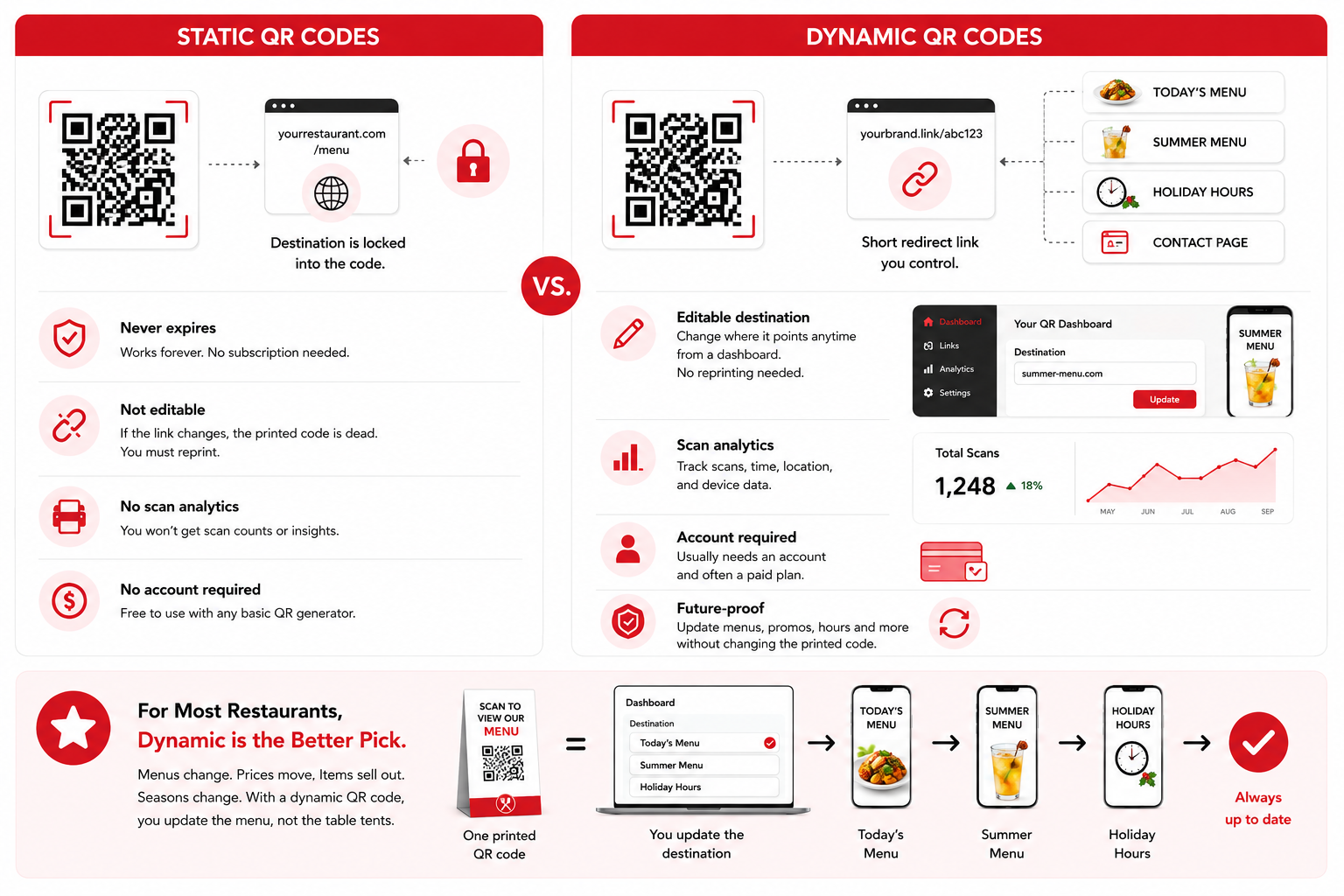
For most restaurants, dynamic is the better pick. Menus change. Prices move, items sell out, a summer patio menu replaces a winter one. With a dynamic code you update the menu, not the table tents.
Quick decision: static or dynamic?
Start
Will the menu or its link ever change?
If yes
Choose dynamic. Edit the destination without reprinting.
If no
Static is fine. No subscription needed.
Process diagram (no data figures shown).
How to create a QR code for your restaurant menu?
Put your menu on a fast mobile web page, choose static or dynamic, generate the code, brand it lightly, set error correction, download a vector file, and test on real phones.
- Decide what the code should open. The best destination is a fast, mobile-friendly web page that lists your menu. A PDF works but is often slower and clumsier to pinch and zoom. If you take orders at the table, point the code at an ordering page instead.
- Put your menu online. Use your existing website, a free menu page from your point-of-sale provider, or a simple hosted page. Keep categories obvious (Starters, Mains, Drinks, Desserts) and text big enough to read without zooming. Copy the final URL.
- Choose static or dynamic. If anything about the menu or its link might change, go dynamic.
- Generate the code. Open a QR code generator, paste your menu URL, and create the code. A Canadian option is QR Code Generator, and there are many other solid generators. Confirm the tool offers what you need, and check its own site for current features and pricing before you commit.
- Add light branding, with care. A centre logo and brand colours can make the code look intentional. Keep strong contrast (dark code on a light background is safest) and do not let a logo cover too much of the pattern.
- Set a sensible error correction level. A restaurant table code picks up grease and water rings, so a higher level is worth a look (see the table below).
- Download in the right format. For print, download a vector file (SVG) if offered, because it stays sharp at any size. Otherwise use a high-resolution PNG. Vector files prevent the blurry codes that fail to scan.
- Test before you print a hundred. Scan with at least two phones, ideally one iPhone and one Android, using only the built-in camera app. On iPhone, the Camera app and Control Center scan QR codes natively (Source: Apple Support). On Android, the Camera from Google app scans from its photo mode or a QR mode, though this varies by device (Source: Google). Test under real restaurant lighting.
Level | Recovery capacity | Good for a restaurant? |
|---|---|---|
L | About 7% | Clean environments, large data only |
M | About 15% | Common default |
Q | About 25% | Good for tables and codes with a logo |
H | About 30% | Highest tolerance for dirt and damage |
Source: DENSO WAVE, Error correction feature. https://www.qrcode.com/en/about/error_correction.html . Level M is the most commonly selected (Source: DENSO WAVE).
How big should a restaurant QR code be?
For a code scanned up close at a table, aim for about 2 cm by 2 cm or larger. For codes read from a distance, make the width about one-tenth of the scanning distance.
That distance guideline is the 10-to-1 rule. A sign read from two metres away wants a code about 20 cm wide. The technical basis for sizing is the X-dimension, the width of the smallest single square (module) in the code. GS1, the global standards body, sets a permitted X-dimension range of 0.396 mm to 0.990 mm for codes scanned at retail point of sale. At the small end, a 29-module code plus the required blank margin works out to a minimum of about 14.65 mm by 14.65 mm (Source: GS1 UK, 2025). In plain terms, smaller than roughly a centimetre and a half gets risky. Give yourself room and print bigger.
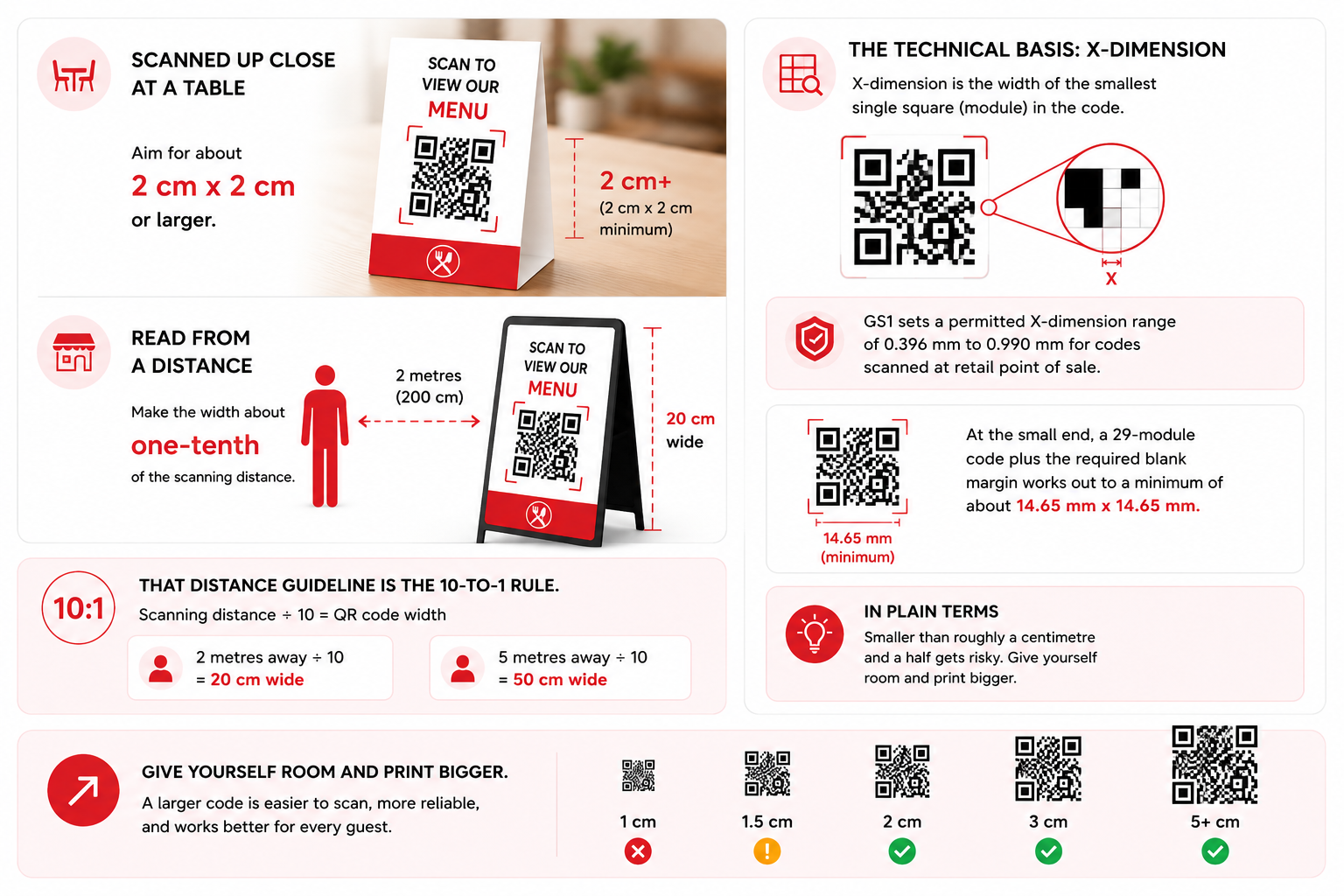
Do not crop the Quiet Zone. Every QR code needs a blank margin around it. The standard calls for a 4-module-wide Quiet Zone on each side (Source: GS1 UK, 2025). Designers often trim this to fit a layout, and it is a top cause of codes that just will not scan. Leave the white space.
Where to place QR codes in a restaurant?
Put codes where a seated guest naturally looks and can hold a phone in comfort, and add a short line telling them what it does.
Good spots: a table tent, the corner of a placemat, a small acrylic stand, or a sticker on the table edge. Add an instruction like "Scan for our menu" so first-time guests know what it is. Skip placing a code under glass that throws glare, on a curved surface like a bottle or cup, or anywhere a centrepiece will block it.
Mistakes to avoid
Most QR menu failures come from slow destinations, low-resolution printing, a missing margin, or no fallback for guests who cannot scan.
- Linking to a slow page or a hard-to-read PDF. If the menu drags or forces constant zooming, guests give up.
- Using a static code for a menu that changes. You will reprint every table tent the first time a price moves.
- Printing from a low-resolution image. Pixelated codes fail. Use SVG or a high-resolution PNG.
- Removing the Quiet Zone or putting the code on a busy background. Both break scanning.
- Low contrast. Pale codes on coloured backgrounds, or dark codes on dark backgrounds, confuse the camera.
- No fallback for guests who cannot or will not scan. Keep a few paper menus, or a printed short link, within reach.
Canadian considerations that generic guides skip
In Canada, plan for bilingual menus where they apply, build the menu page to be accessible, and keep a no-phone fallback.
Bilingual menus
If you serve French-speaking guests, and especially if you operate in Quebec where French-language norms apply, plan how the QR menu handles both languages. A single landing page with an English and French toggle is cleaner than two separate codes, and it spares you from printing and managing twice the table tents.
Accessibility
A QR code on its own does not work for everyone. Guests with low vision, with motor difficulties, older guests, or anyone with a dead battery should still be able to order. Treat the QR menu as the default, not the only option, and keep a clear human and paper fallback. Make the menu page itself readable: real text instead of an image of text, a decent font size, and good colour contrast.
Connectivity and fallback
Most Canadians have mobile data (Source: Statistics Canada, 2022), but not every table has a strong signal, and not every guest wants to spend their data. Offering Wi-Fi, or keeping a small stack of paper menus, heads off the awkward moment when a guest can scan the code but the page will not load.
A note on the tool
You do not need an expensive platform to make a working menu QR code, and the QR code format itself is free to use under the published standards (Source: DENSO WAVE).
QR Code Generator is one Canadian option among several solid generators. Whatever you choose, the features that decide it are dynamic codes (so you can edit the menu later), vector (SVG) download for crisp printing, and clear pricing. Check each tool's own site to confirm those features and costs before you commit.
Frequently asked questions
Do customers need an app to scan my restaurant's QR code?
No. Modern iPhones scan QR codes straight from the Camera app and Control Center (Source: Apple Support), and most Android phones scan them from the Camera from Google app's photo or QR mode, though it varies by device (Source: Google). Point, tap the link, done.
Should I use a static or dynamic QR code for my menu?
Use dynamic for almost any menu, because it lets you change prices, items, and seasonal menus without reprinting the code. Use static only when the link will never change, like a permanent homepage or reservations page.
How small can a restaurant QR code be?
For close-up table scanning, keep it at least about 2 cm wide. Smaller than roughly 1.5 cm gets unreliable. Sizing comes from the X-dimension, where GS1 sets a 0.396 mm to 0.990 mm range for retail scanning (Source: GS1 UK, 2025).
Why does my QR code fail to scan?
The usual culprits are a missing blank margin (the code needs a 4-module Quiet Zone, per GS1 UK, 2025), low contrast, a low-resolution or stretched image, glare from glass, or a centre logo covering too much of the pattern. Print from a vector file, keep the margin, and test on real phones.
Is it legal and free to create QR codes for my restaurant?
The QR code format is free to use as long as you follow the published QR code standards. DENSO WAVE, the inventor, has waived its patent rights for standardized QR codes (Source: DENSO WAVE). You may still pay a generator for features like dynamic codes and scan tracking, but not for the code format itself.
What should the QR code link to, a PDF or a web page?
A fast, mobile-friendly web page is best. It loads quickly, reads well on a phone without constant zooming, and (if dynamic) can be updated anytime. Avoid linking to an image of your menu, since assistive tech cannot read it aloud.
Sources
- Statistics Canada, Canadian Internet Use Survey, 2022. https://www150.statcan.gc.ca/n1/daily-quotidien/230720/dq230720b-eng.htm
- GS1 UK, How big should a QR code powered by GS1 be? (last reviewed 2025). https://www.gs1uk.org/knowledge-hub/qr-codes-powered-by-gs1/how-big-should-a-qr-code-powered-by-gs1-be
- DENSO WAVE, Error correction feature. https://www.qrcode.com/en/about/error_correction.html
- DENSO WAVE, About the patent. https://www.qrcode.com/en/patent.html
- Apple Support, Scan a QR code with your iPhone camera (CA). https://support.apple.com/en-ca/guide/iphone/iphe8bda8762/ios
- Google, Scan QR codes on Camera from Google. https://support.google.com/camerafromgoogle/answer/12033278
Keep reading
How Realtors in Canada Use QR Codes to Sell Homes Faster
Canadian real estate agents use QR codes on signs, flyers, open house materials, mailers, and business cards to give buyers instant access to photos, virtual tours, and bookings. Dynamic QR codes can be updated after printing, track scans, and capture leads automatically.
How to Make a QR Code for a Google Review Link?
To make a QR code for a Google review link, open your Google Business Profile on a computer, select Read Reviews then Get more reviews, copy the review link (or right-click the QR code Google shows you and save it), then print it on receipts, cards, or table tents.
How to Create a QR Code for a Business Card in Canada (2026)
Quick answer: To create a QR code for a business card, choose what the code should open, generate the QR code, customize the design, download it as SVG or high-resolution PNG, place it on your card at about 2 cm by 2 cm or larger, add a short call to action, and test it on multiple phones.