How Realtors in Canada Use QR Codes to Sell Homes Faster
Canadian real estate agents use QR codes on signs, flyers, open house materials, mailers, and business cards to give buyers instant access to photos, virtual tours, and bookings. Dynamic QR codes can be updated after printing, track scans, and capture leads automatically.
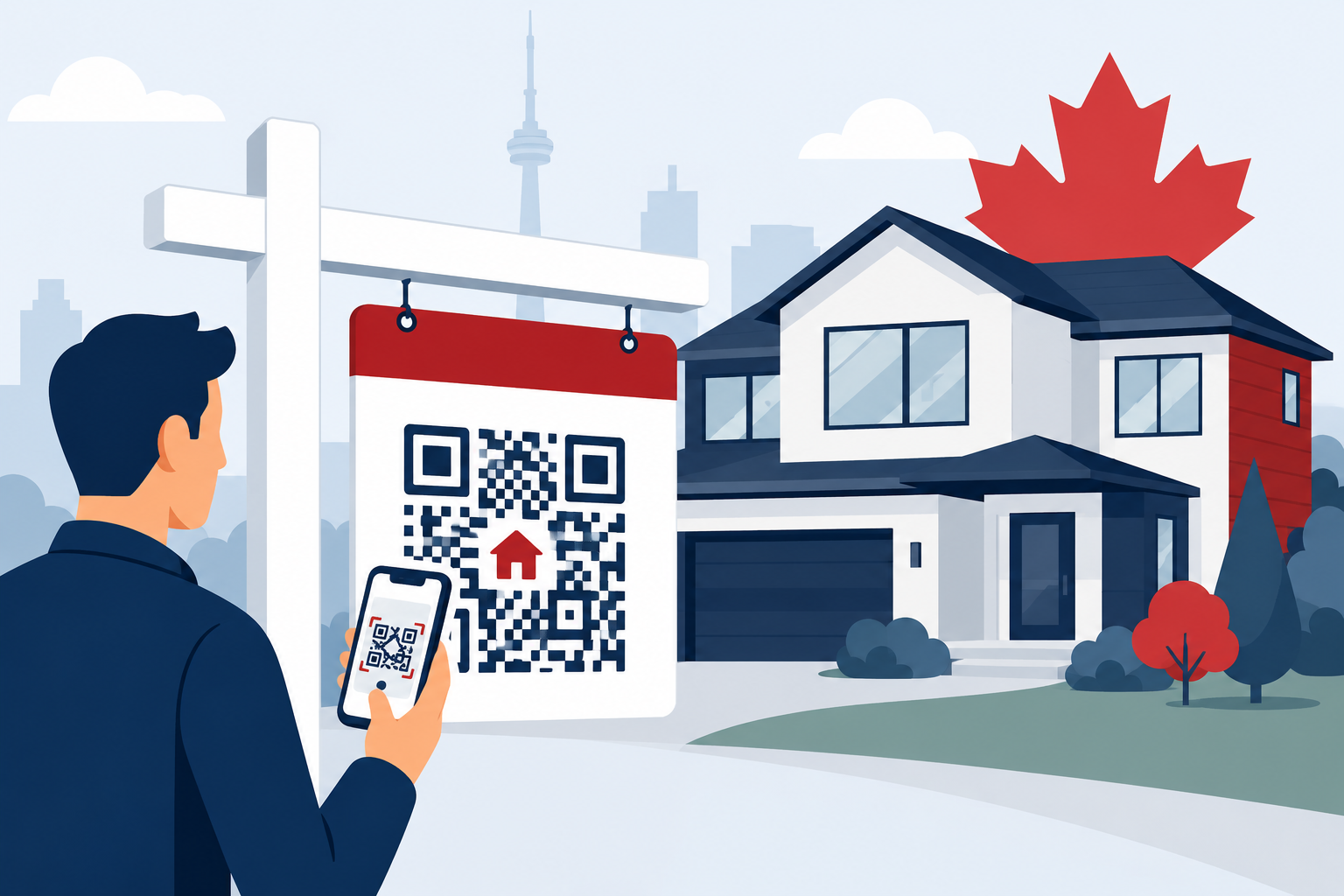
Canadian realtors are putting QR codes on yard signs, flyers, open house tables, postcards, and business cards so buyers can pull up photos, floor plans, and booking links on the spot. The ones worth using are dynamic; meaning you can change where they point after the sign is already in the ground, and you can see exactly how many people scanned it and when.
Key Takeaways
- REALTOR.ca had 113 million unique visitors and over 2 billion listing page views in 2025 (Source: CREA). Buyers are already on their phones. A QR code just meets them there.
- Use dynamic QR codes, not static ones. When the price drops or the property sells, you update the link from your phone; the sign stays exactly as it is.
- According to NAR's 2024 Profile of Home Buyers and Sellers (US data), buyers want photos first (41%), property details second (39%), and floor plans third (31%). That's the page your code should send them to; not your homepage.
- Home valuation QR codes on postcards may be the most underused seller lead tool in residential real estate right now.
- Scan analytics show you which sign got attention, which street responded to a mailer, and what time of day buyers were browsing. A paper flyer tells you nothing.
Your Buyers Are Already on Their Phones. Your Signs Should Know That.
In 2025, REALTOR.ca got 633 million visits. From 113 million unique visitors. The app was downloaded 536,759 times in that single year (Source: CREA, May 2026). That's not people occasionally checking a listing; that's Canadians actively using their phones as the primary tool for finding a home.
The industry itself is in good shape too. In 2024, revenue across Canada's real estate agents and brokers sector rose 9.2% to $19.2 billion. Ontario alone accounted for $10.0 billion of that. BC hit $2.9 billion (Source: Statistics Canada, March 2026). The market is active. The audience is mobile. And the gap between a yard sign and a booked showing has never been easier to close.
For context, US research from NAR's 2024 Profile of Home Buyers and Sellers found 43% of buyers said the very first thing they did was look for properties online, and 70% used their phone or tablet during the search. Canada tends to mirror US buyer behaviour pretty closely, and REALTOR.ca's app download numbers suggest the same pattern holds here. Just worth knowing; those percentages come from US data, not a Canadian study.
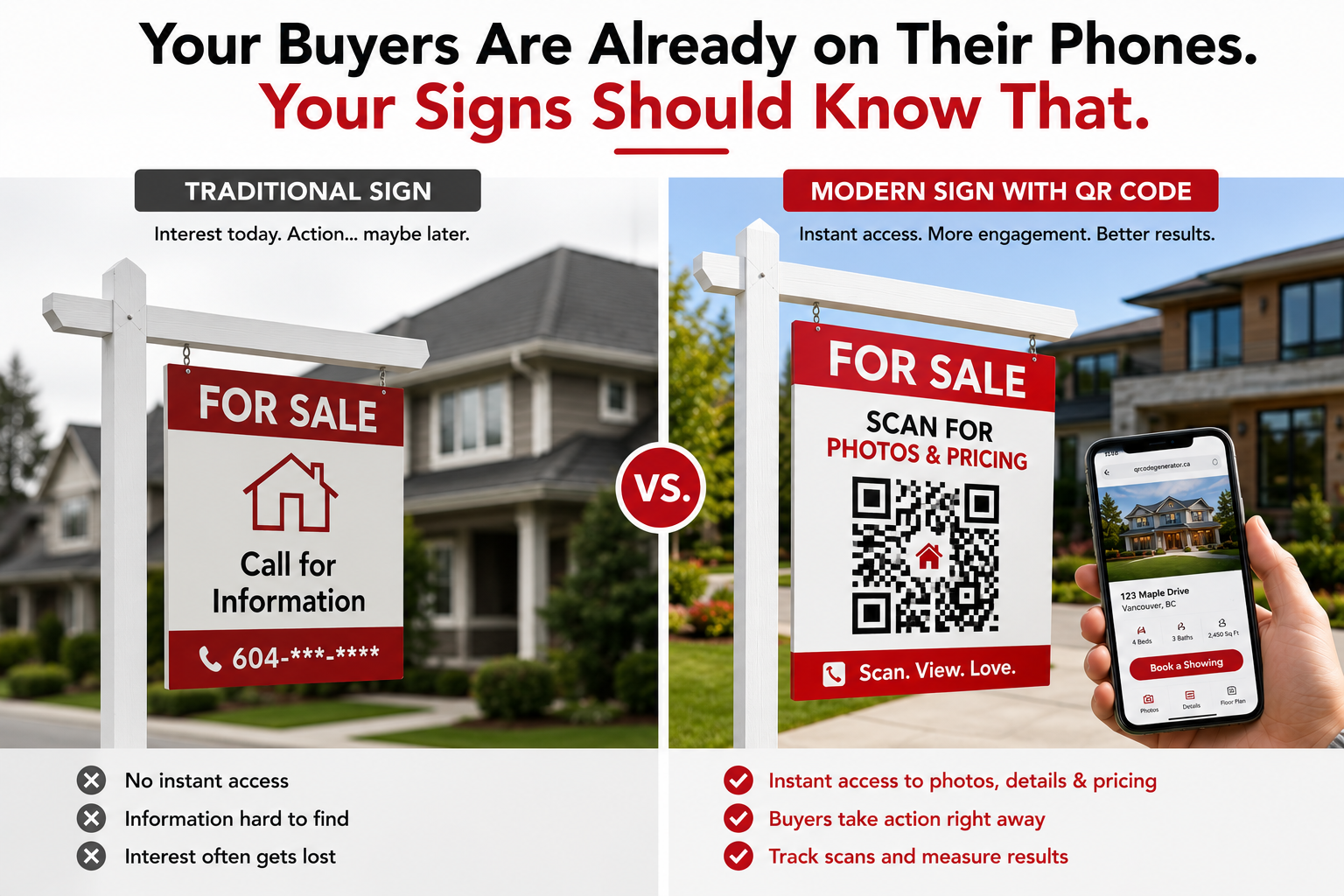
Bottom line: the person who slows down in front of your yard sign already has the REALTOR.ca app on their phone. If your sign gives them nowhere to go, most of them keep driving.
Six Ways Canadian Realtors Are Actually Using QR Codes:
Yard Signs
Think about what happens when someone slows down in front of a listing. They're interested. That's the moment. And for decades, all a yard sign could do was give them a phone number to maybe call later, or an address to maybe look up when they got home. Most of them never did.
A QR code changes that window. "Scan for photos and pricing", and they're on the listing page before they've even pulled back into traffic. Full photo gallery, specs, a "Book a showing" button. That curiosity either converts right then, or it becomes a lead you can track.
One thing agents get wrong: making the code too small. From a sidewalk, you need at least 4 or 5 centimeters. If someone might scan from their car, push it to 8 or 10. Print it out and test it in the actual driveway before you approve the sign; not on your desk where everything looks fine.
And here's one nobody mentions: in January, when a property sells and the sign is half-buried in a snowbank, you don't need to send anyone out in the cold. With a dynamic code, you just log in and redirect it to your other active listings. Done from your couch.
Flyers and Brochures
Printed flyers have one core problem: they're wrong almost immediately. You run 300 copies on a Tuesday, and by Thursday the price has dropped. Now you've got 300 pieces of paper circulating with outdated information and your name on them.
With a QR code, the flyer is just the door. The destination behind it can be updated any time. So the flyer says, "Scan for full listing details," and whatever's behind that code stays current; new price, updated photos, different open house time, whatever.
You can also simplify the design. One good photo, the address, the key numbers, and a code. Buyers who want the rest scan it. Those who keep the flyer to think it over can scan it five days later from their kitchen table.
Also: if you use those outdoor flyer boxes, laminate everything. A Canadian November will destroy unlaminated paper in about 36 hours. And an empty soggy flyer box next to your sign is worse than no box at all.
Open House Sign-In
Paper sign-in sheets are a mess. The handwriting's impossible to read, the email has a typo, and by the time you've entered everything into your CRM you've wasted 20 minutes and still have gaps.
A tablet or printed card at the entrance with a QR code links to a simple form. Visitors sign in on their own phone. The data goes directly where it needs to go, clean, complete, and immediate.
Put a second code somewhere inside the house; the kitchen counter, the mantle, somewhere people stop naturally. Link it to the listing details page. Buyers walking through can check the square footage or confirm what's included without tracking you down to ask the same question for the fourth time that afternoon.
Direct Mail and Geographic Farming
A postcard with no way to respond is just a thing people recycle. A postcard with a QR code linked to a home valuation tool is something they might actually scan.
The offer does the work: "Curious what homes on your street are selling for? Scan for a free estimate." That's it. A homeowner who scans that has already told you they're thinking about their property's value. That's not a cold contact anymore.
The broader data on direct mail supports this. According to the Association of National Advertisers' Response Rate Report 2023, 82% of direct mail marketers now use QR codes or personalized URLs to track responses, up from 67% in 2022. House-list campaign response rates run 5 to 9% (Source: ANA Response Rate Report, 2023). A tracked code on every postcard means you finally know which streets are responding and which aren't. That's data most agents farming a neighborhood have never had.
Business Cards
A vCard QR code on the back of your card is genuinely useful; scan it, and your name, number, email, and brokerage are saved to their contacts in about three seconds. No typing, no "I'll add you later," no finding your card three weeks later with no idea who you are.
Some agents link to a short video instead. Sixty seconds, face to camera, why work with me? That's a different kind of first impression than a rectangle of card stock.
A few agents also put their QR code on their vehicle. Anyone stuck behind them in traffic on the 401 who notices the branding can scan and have the contact saved before the light changes. Small thing, but it costs nothing extra.
Seller Lead Capture, the One Most Guides Skip
Almost every article written about QR codes in real estate talks about buyers. Yard sign scans, open house sign-ins, virtual tour links. It's all buyer-side.
But think about what a home valuation QR code on a "just sold" postcard actually does. The message is something like "Find out what your home is worth today." The neighbour who scans isn't a buyer, they're a homeowner who is at least thinking about their property's value. Maybe actively, maybe just idly. Either way, they've now entered your pipeline.
That's a warmer lead than almost anything else in a typical geographic farming strategy. They came to you.
Static vs. Dynamic; There's Really Only One Right Answer for Real Estate
Static QR codes encode the destination directly into the pattern. Print it, done. But if anything changes, the URL moves, you made a typo, or the listing sells; you're reprinting. Everything. Every sign, every flyer, every business card that has that code on it.
Dynamic codes work differently. The printed code just points to a redirect you control. Where people actually land is set in your dashboard and can be changed any time. Same code on the sign. Different destination whenever you need it.
That flexibility matters a lot in real estate, where things change fast. But the analytics matter almost as much. With a dynamic code you can see how many people scanned, what devices they used, roughly where they were. After a few weeks you'll know whether the sign at the corner of a busy street is outperforming the one in the quiet cul-de-sac three blocks over. You'd never know that from a static code. You'd never know it from a flyer, either.
QRCodeGenerator.ca creates dynamic codes with tracking built in. You can also add your logo and your brokerage colours, which makes a bigger difference than it sounds; a branded code gets scanned more readily than a plain black box because people can see at a glance where it's coming from.
What Should the Code Actually Link To?
This is the part most agents get wrong. They set up a perfectly good QR code and then link it to their homepage. Or their Instagram. Or a generic "contact me" page. And then they wonder why nobody's booking showings from it.
NAR asked US buyers what content they find most valuable on real estate websites. Photos won at 41%. Detailed property information came in at 39%. Floor plans at 31%. Asked separately, 67% said they want floor plans in listings, and 58% said they want virtual tours. (This is US data, worth noting, but buyer priorities around property content tend to be pretty consistent across North America.)
So the destination should be a page with the full photo gallery, the floor plan if you have one, the key specs, and a way to book a showing right there. Your REALTOR.ca listing page can work fine if it's fully filled out and mobile-friendly. A custom landing page gives you more control and better lead capture, but it's not mandatory.
What definitely doesn't work: anything that makes the buyer do additional navigation to find the listing. They scanned because they were curious. Give them what they were curious about, immediately.
Why Some Codes Get Scanned and Others Get Ignored
It's usually one of four things. Sometimes two or three of them at once.
- No call to action on the sign. A QR code with no text around it just looks like a pattern. Nobody scans a mystery box. One sentence is enough: "Scan for photos and pricing" tells people exactly what they get. That line alone can dramatically change how many people actually pull out their phone.
- The code is too small to scan from a normal distance. It looks fine when you're holding the proof at arm's length. Then you plant the sign and realise it needs to be read from six feet away on a windy day. Five centimetres minimum for anything outdoors. More for anything roadside.
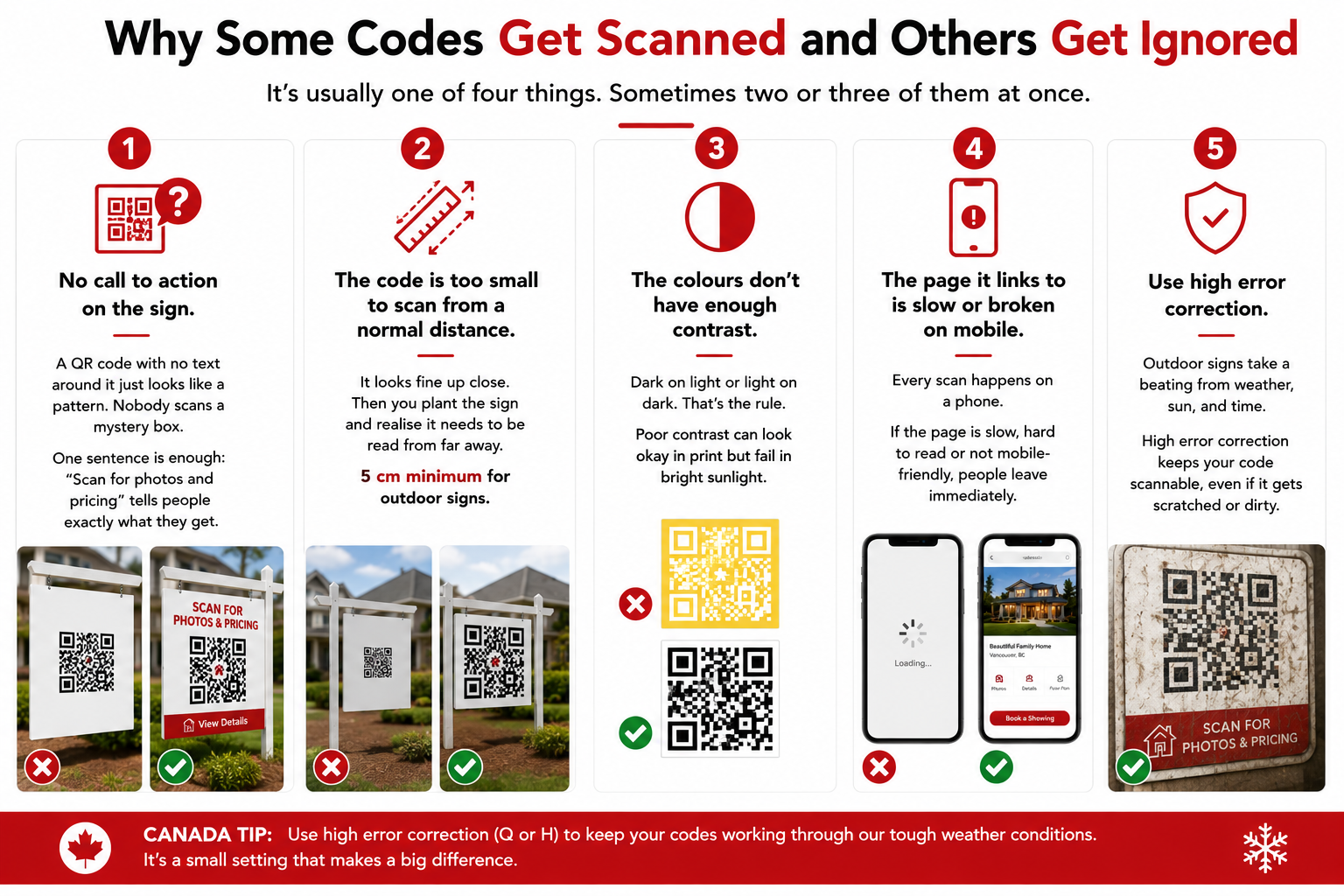
- The colours don't have enough contrast. Dark on light or light on dark. That's the rule. Dark navy on black, or yellow on off-white, both print fine and both fail in bright sunlight. Check it in real conditions, not just on your monitor.
- The page it links to is slow or broken on mobile. Every scan happens on a phone. If the page takes too long to load, or you have to pinch and zoom to read anything, the person leaves immediately. Test it on your phone before you approve the print run.
One Canada-specific addition: use high error correction when you generate the code. Outdoor signs take a beating through freeze-thaw cycles, salt spray from winter roads, and just general weather. High error correction means the code still works even if part of the surface is scuffed or warped.
How to Set Up Your First Code on QRCodeGenerator.ca
Takes about five minutes. Here's the order of operations:
- Go to qrcodegenerator.ca and pick the dynamic option. Not static. Dynamic. This is the choice that makes everything else flexible; you can edit the destination later and the analytics work.
- Enter your destination URL. The listing page, a landing page with a lead capture form, your home valuation tool, or a booking link. Pick one specific thing, not a general page.
- Customize the design. Add your logo and set the colours to match your brokerage. A branded code builds trust before the scan. Plain black-and-white works fine too, but branded is better.
- Download in the right format. SVG for large-format print like signs and window graphics. PNG at 300 DPI minimum for brochures and cards. Don't hand a screen-resolution JPEG to your printer; it'll come out blurry and fail to scan.
- Test it before anything goes to print. Outside. From the actual scanning distance. On two different phones if you have them. A code that scans great on your desk at home can fail completely on a sunny October afternoon at the curb.
- Check your scan data every couple of weeks. Which placements are getting traction? Which neighbourhoods are responding to your mailers? After a few campaigns you'll have real information to work with, something most agents doing print marketing have never had.
Frequently Asked Questions
What's the difference between a static and dynamic QR code?
Static codes have the destination baked in permanently. Once printed, it can't change. Dynamic codes use a redirect you control, so you can update where they go any time, no reprinting. For real estate, dynamic is the only practical choice. Listings sell, prices change, pages move. You don't want to be redoing signs every time something shifts. Dynamic codes also give you scan analytics. Static codes don't.
Do Canadian buyers actually scan QR codes on yard signs?
REALTOR.ca had 113 million unique visitors in 2025, and the app was downloaded over 536,000 times (Source: CREA). These are people actively searching for homes on their phones. Someone who slows down in front of your sign is already interested; a QR code just gives that interest somewhere to go before they drive away. Agents who use dynamic codes and track the data typically see scans start coming in within the first few days of planting a new sign.
What should my yard sign QR code link to?
The specific listing. Not your homepage, not a search results page; the page for that property, with photos, specs, a floor plan if you have one, and a way to book a showing. NAR's 2024 buyer research (US data) found 67% of buyers want floor plans and 58% want virtual tours in listings. If a buyer scans your sign and lands somewhere generic where they have to go hunting, most of them won't hunt.
Can I use QR codes to get seller leads, not just buyer leads?
Yes; and honestly this might be the highest-value use of QR codes that almost nobody is talking about. A code on a "just sold" postcard that links to a home valuation tool attracts homeowners who are at least curious about what their property is worth. They don't have to be planning to list. They just have to wonder. When they scan, they've entered your pipeline on their own terms. That's a very different energy than a cold call.
How big does a QR code need to be on a yard sign?
Bigger than looks right on the design. From a sidewalk (say, 1 to 3 metres) you need at least 4 or 5 centimetres. For anything a driver might scan from a parked car, push it to 8 or 10. The most common mistake is sizing the code for how it looks on the layout rather than how it scans in the field. Print a test copy and take it outside before you approve the production run.
Does winter weather in Canada affect outdoor QR codes?
The code pattern itself is fine in cold weather, but the physical surface takes a beating. Laminate outdoor materials with a matte finish; it cuts glare from sun bouncing off snow and protects the surface through rain and temperature swings. When you generate the code, choose high error correction. This means the code still scans even if part of the surface is scratched or slightly warped. And with dynamic codes, if a sign actually gets destroyed, you just reprint it with the same code; nothing changes on the backend.
Sources
- Operating revenue of Canadian real estate agents and brokers rose 9.2% to $19.2 billion in 2024.
Statistics Canada, The Daily, March 10, 2026.
https://www150.statcan.gc.ca/n1/daily-quotidien/260310/dq260310d-eng.htm - REALTOR.ca powered by 155,000+ REALTORS; 633M visits, 113M unique visitors, 2B+ listing page views, 536,759 app downloads in 2025; 60%+ Canadian online market share.
CREA Cafe, May 25, 2026 (citing Similarweb).
https://www.crea.ca/cafe/realtor-ca-highlights-for-2025-a-look-at-the-numbers/ - 43% of US buyers' first step was searching online; 70% used mobile/tablet during home search (US data).
NAR 2024 Profile of Home Buyers and Sellers.
https://www.nar.realtor/sites/default/files/2024-11/... - Most valuable real estate website content: photos 41%, property details 39%, floor plans 31%; 67% want floor plans, 58% want virtual tours (US data).
NAR 2024 Profile of Home Buyers and Sellers.
https://www.nar.realtor/research-and-statistics/... - 82% of direct mail marketers prefer QR codes/PURLs as primary tracking method (up from 67% in 2022); house-list response rates 5-9%.
Association of National Advertisers, Response Rate Report 2023.
https://www.ana.net/miccontent/show/id/rr-2024-02-ana-response-rate-report-2023
Keep reading
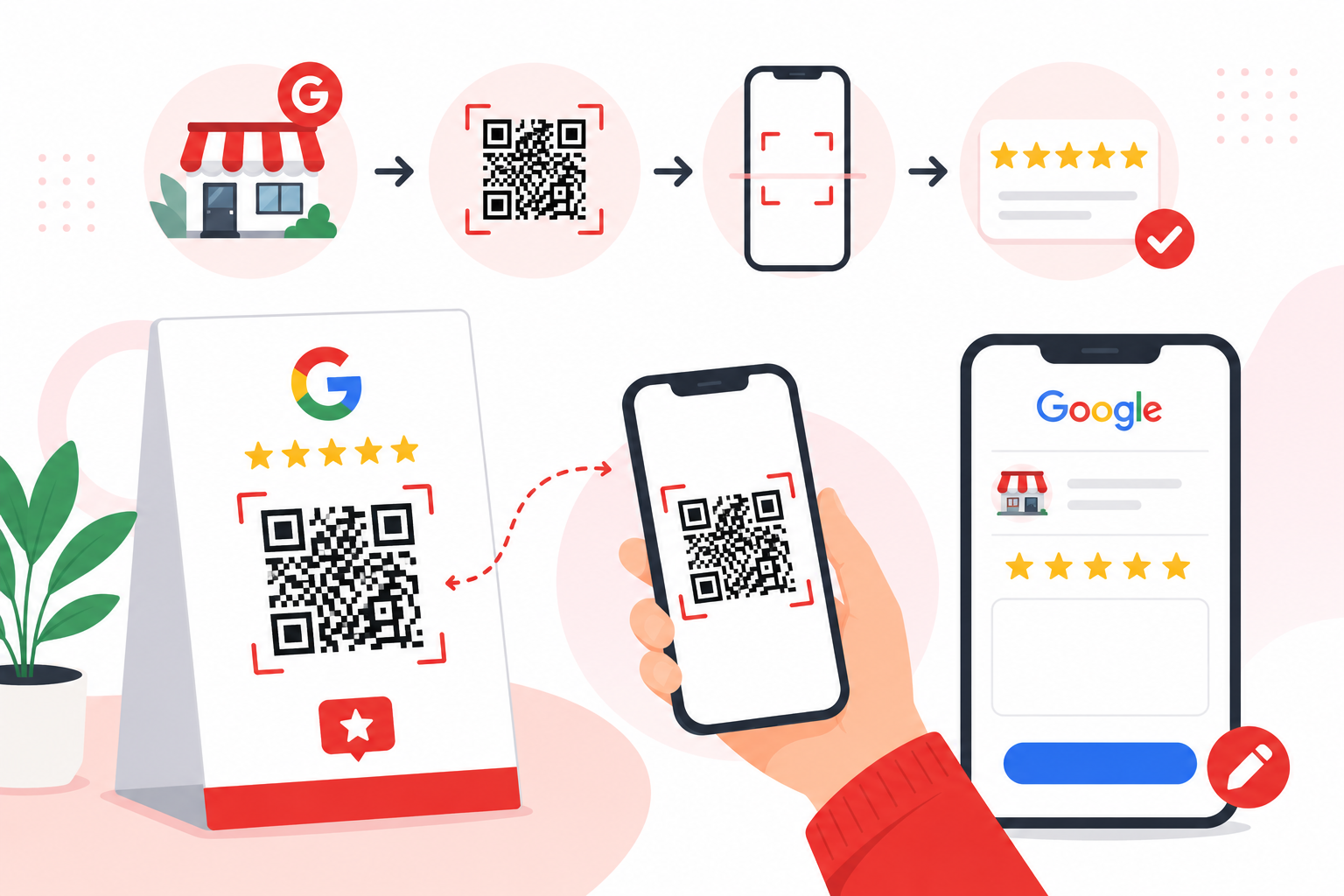
How to Make a QR Code for a Google Review Link?
To make a QR code for a Google review link, open your Google Business Profile on a computer, select Read Reviews then Get more reviews, copy the review link (or right-click the QR code Google shows you and save it), then print it on receipts, cards, or table tents.
How to Create a QR Code for Restaurants in Canada?
Creating a QR code for your restaurant takes about ten minutes. Put your menu online as a mobile-friendly web page, paste that link into a QR code generator, download the code as a high-resolution file, then print and test it on a few phones before it reaches a table.
How to Create a QR Code for a Business Card in Canada (2026)
Quick answer: To create a QR code for a business card, choose what the code should open, generate the QR code, customize the design, download it as SVG or high-resolution PNG, place it on your card at about 2 cm by 2 cm or larger, add a short call to action, and test it on multiple phones.