How to Create a QR Code for a Business Card in Canada (2026)
Quick answer: To create a QR code for a business card, choose what the code should open, generate the QR code, customize the design, download it as SVG or high-resolution PNG, place it on your card at about 2 cm by 2 cm or larger, add a short call to action, and test it on multiple phones.
You are at a networking event in Toronto. You hand someone your business card. They smile, put it in their pocket, and keep moving. A week later, your card may still be sitting in a drawer, and your contact details may never make it into their phone.
That is the problem a QR code solves. A printed card gives someone your name, email, and phone number. A QR code gives them a faster action: visit your website, save your contact details, open your LinkedIn profile, book a meeting, view your portfolio, or get directions to your business.
For Canadian professionals, freelancers, real estate agents, consultants, clinics, restaurants, and small businesses, a QR code can turn a simple business card into a useful digital bridge. The key is not just creating the code. The key is making sure it scans reliably, looks professional, and sends people to the right place.
Why Add a QR Code to a Business Card?
A business card is useful, but it is limited. It can hold your name, title, company, phone number, email, and maybe a website. That is helpful, but it still asks the other person to type, search, save, or remember you later.
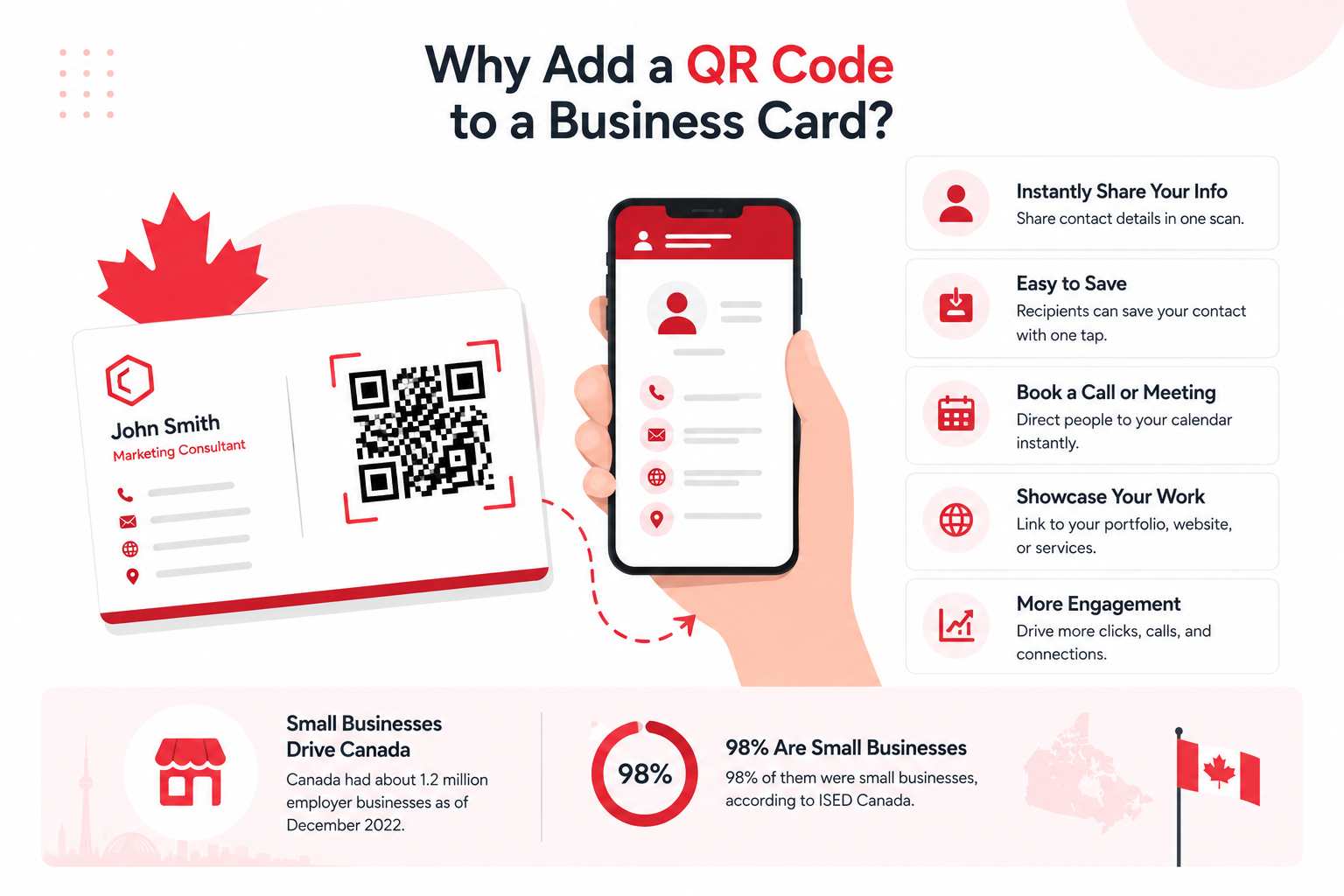
A QR code removes that friction. One scan can open a page where the person can save your contact details, connect with you, book a call, see your work, or learn more about your business. Apple’s official support guide explains that iPhone and iPad users can scan QR codes directly with the Camera app, which means most users do not need a separate scanning app. Android users can also access QR scanning features through modern Android devices and Google services.
There is also a practical business reason. Canada had about 1.2 million employer businesses as of December 2022, and 98% of them were small businesses, according to ISED Canada. For small businesses competing for attention, reducing friction after a first meeting matters.
What Should Your Business Card QR Code Link To?
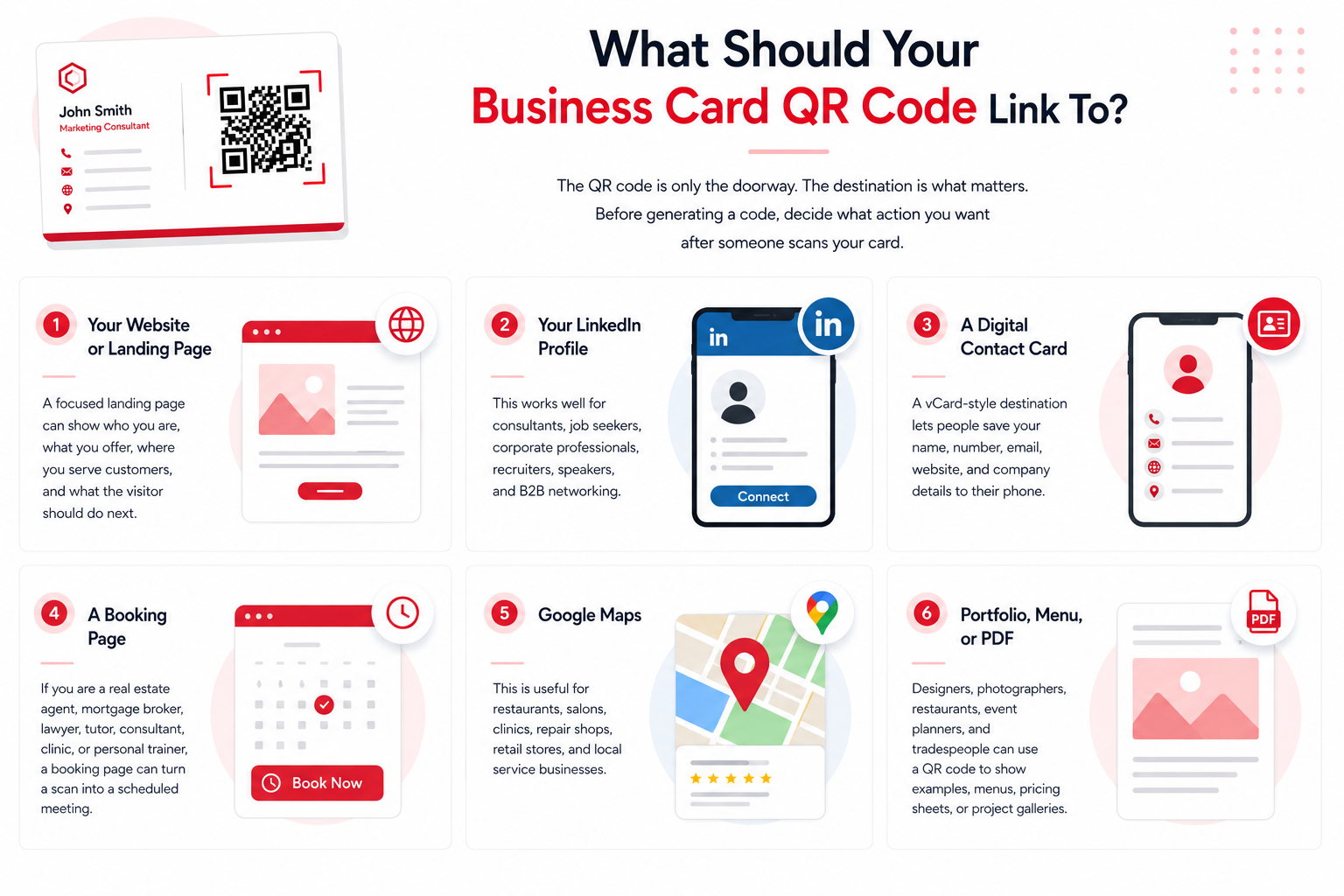
The QR code is only the doorway. The destination is what matters. Before generating a code, decide what action you want after someone scans your card.
1. Your website or landing page
This is the safest choice for most businesses. A focused landing page can show who you are, what you offer, where you serve customers, and what the visitor should do next.
2. Your LinkedIn profile
This works well for consultants, job seekers, corporate professionals, recruiters, speakers, and B2B networking. It helps the person connect with you instead of losing your card.
3. A digital contact card
A vCard-style destination lets people save your name, number, email, website, and company details to their phone. This is one of the most useful business card QR code options.
4. A booking page
If you are a real estate agent, mortgage broker, lawyer, tutor, consultant, clinic, or personal trainer, a booking page can turn a scan into a scheduled meeting.
5. Google Maps
This is useful for restaurants, salons, clinics, repair shops, retail stores, and local service businesses. One scan can open directions, reviews, hours, and photos.
6. Portfolio, menu, or PDF
Designers, photographers, restaurants, event planners, and tradespeople can use a QR code to show examples, menus, pricing sheets, or project galleries.
Best practice: Do not send everyone to a generic homepage unless that homepage is clearly designed for new visitors. A focused landing page usually performs better because it tells the scanner exactly what to do next.
Static vs. Dynamic QR Codes
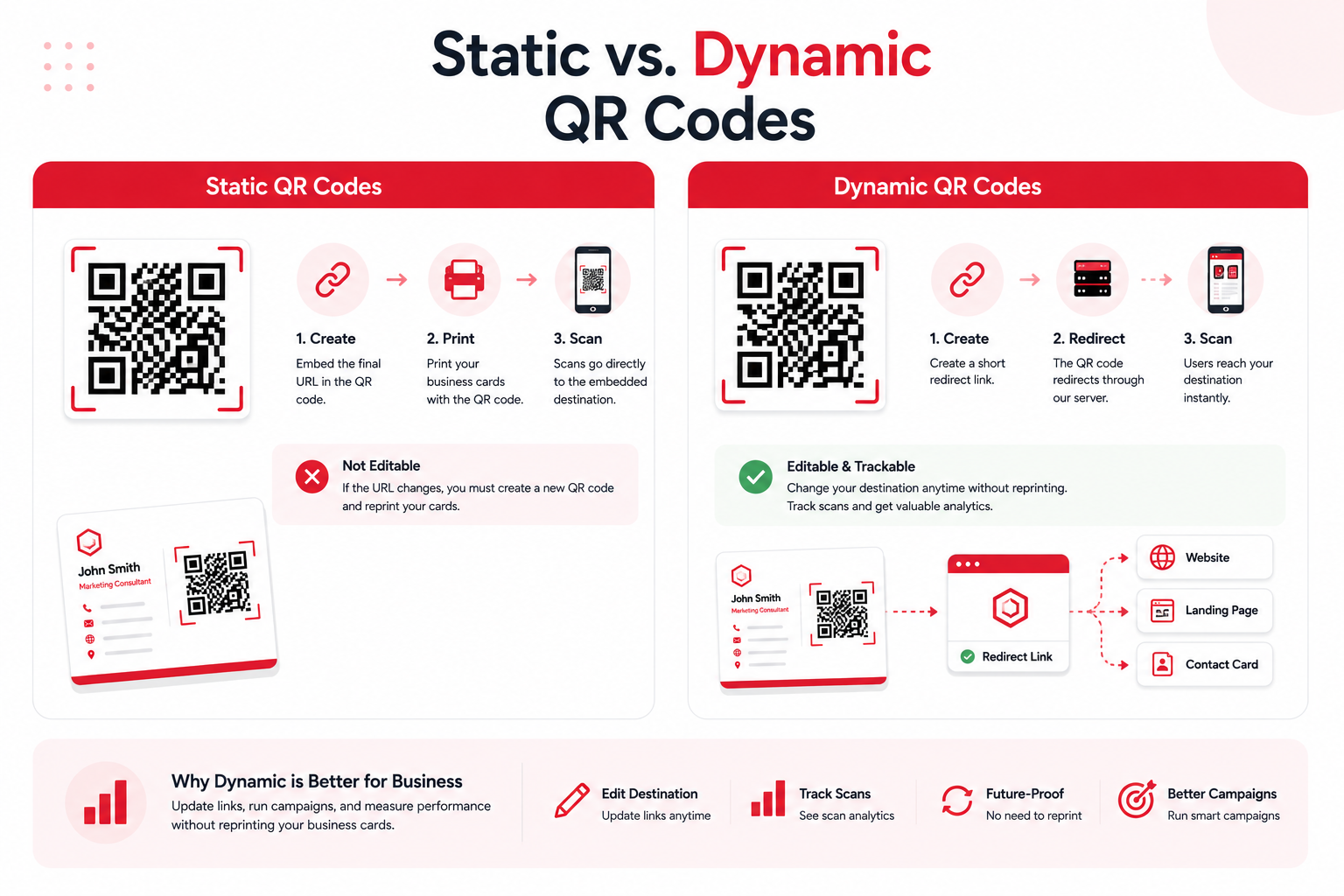
A static QR code stores the final destination directly in the code pattern. After you print it, the destination cannot be changed. If the URL changes later, you need to create a new QR code and reprint the card.
A dynamic QR code stores a redirect link. When someone scans it, the QR provider redirects that person to your chosen destination. This lets you change the destination later without changing the printed card. Dynamic QR codes can also provide analytics, depending on the tool you use.
Featured snippet answer: For business cards, dynamic QR codes are usually better because you can update the link after printing and track scans. Static QR codes are best only when the destination will never change and analytics are not needed.
Feature | Static QR code | Dynamic QR code |
|---|---|---|
Can edit destination later? | No | Yes |
Can track scans? | No | Usually yes |
Best use | Permanent links, simple one-time use | Business cards, campaigns, printed materials |
Main risk | Dead link means reprinting | Depends on provider’s redirect service |
Cost | Often free | May require an account or paid plan |
How to Create a QR Code for Your Business Card
Here is the simple process from idea to printed card.
Choose the destination
Decide what the QR code should open: your website, contact page, LinkedIn, booking page, Google Maps listing, portfolio, menu, or PDF.
Open a QR code generator
Use a QR code tool that supports the QR type you need. For a basic website link, choose URL. For contact saving, choose a vCard or contact QR option if available.
Paste your link or enter your details
Double-check every character. Test the link on mobile before generating the final code.
Customize the design carefully
Use brand colours only if contrast stays strong. A dark QR code on a light background is usually safest.
Download the right file format
Use SVG when possible because it stays sharp at any size. If SVG is not available, use a high-resolution PNG. Avoid JPEG for print QR codes.
Place it on your business card
Put the code on the back of the card or in a clean front-corner layout. Keep blank space around it.
Add a short call to action
Use clear text like “Scan to save my contact,” “Scan to book a call,” or “Scan to view my portfolio.”
Test before printing
Scan it on at least one iPhone and one Android phone if possible. Test under normal indoor lighting and from a realistic distance.
QR Code Design and Print Tips
A QR code can look great and still fail if it is too small, too blurry, too glossy, or too low-contrast. The design has to work in the real world, not just on your screen.
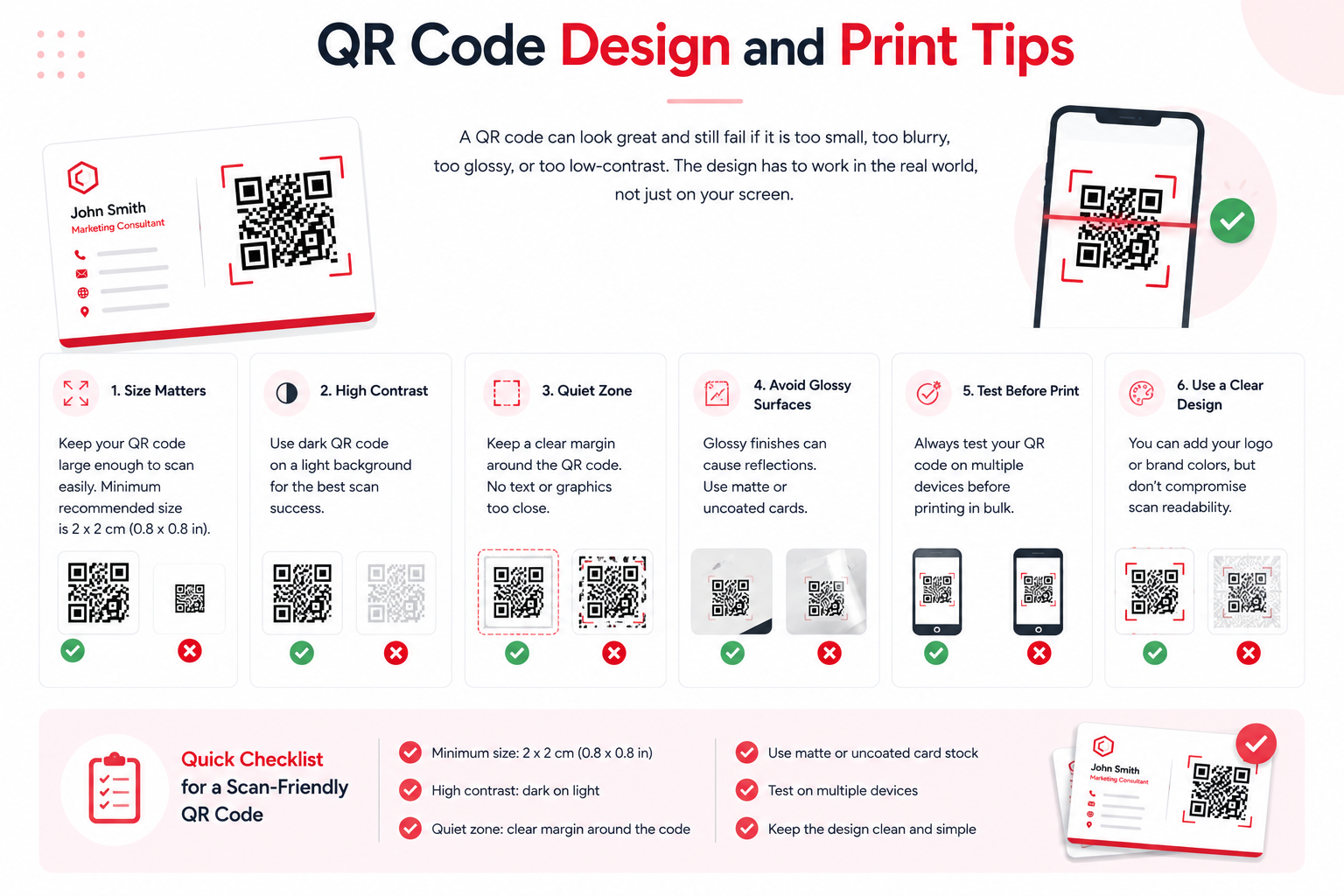
GS1’s QR code guidance explains that QR codes need a quiet zone around the symbol, and GS1’s sizing guidance gives a practical minimum example around 14.6 mm by 14.6 mm for a specific retail QR symbol setup. For business cards, going larger than the technical minimum is safer because people scan quickly, in different lighting, and with different phones.
Best QR Code Generator Options for Business Cards
You can create a business card QR code with many tools. The best choice depends on whether you need a simple static code or a dynamic code you can edit later.
Tool type | Best for | Good points | Limitations |
|---|---|---|---|
Local Canadian QR generator | Canadian businesses wanting a simple local tool | Relevant for Canadian users, quick URL code creation | Feature set depends on the tool |
Design tools with QR features | People designing the whole card in one place | Convenient for layout and branding | Often static-code focused |
Advanced QR platforms | Teams needing dynamic codes and analytics | Tracking, campaigns, editable destinations | May require paid plans |
Free visual QR tools | Custom-looking static QR codes | Good visual control | May not support tracking or editing |
Decision rule: If the card is for a one-time event, a static QR code may be enough. If you are printing hundreds of cards or expect your destination to change later, use a dynamic QR code.
Canadian Business Card QR Code Tips
Business cards are still useful in Canada, especially for local services, trade shows, professional networking, real estate, clinics, restaurants, and community events. A QR code makes the card more useful after the first conversation.
Canadian small businesses also have practical reasons to reduce reprints. If your phone number, booking page, service area, or offer changes, a dynamic QR code can keep printed cards useful for longer. This is especially helpful if you serve multiple cities, attend events often, or update your services seasonally.
For local businesses, consider linking to a page that mentions your service area clearly. For example, a Toronto photographer, Calgary mortgage broker, Vancouver clinic, or Waterloo consultant should make sure the destination page confirms who you help and where you work.
Common Mistakes to Avoid
Making the QR code too small
A tiny QR code may look clean, but it can fail in real printing conditions. Use a comfortable size and test before ordering a full batch.
Using low contrast colours
Light grey on white or dark blue on black may match your brand, but it can make scanning unreliable. Keep the pattern dark and the background light.
Forgetting the quiet zone
Do not place text, icons, borders, or card edges too close to the QR code. Leave clear blank space around it.
Linking to a poor mobile page
Everyone scanning your business card QR code is on a phone. If the landing page is slow, broken, or hard to read, the QR code did its job but the page failed.
Skipping the test print
Before printing 500 cards, print one sample or order a small batch. Scan it in normal lighting and make sure it works quickly.
Using a static code when the link may change
If the destination changes, a static code becomes a problem. Use dynamic QR codes when you want future flexibility.
Frequently Asked Questions
How do I create a QR code for my business card?
Choose the destination, create the code with a QR generator, customize the design, download it as SVG or high-resolution PNG, place it on the card, add a short call to action, and test it before printing.
What should a QR code on a business card link to?
It can link to your website, digital contact card, LinkedIn profile, booking page, Google Maps listing, portfolio, menu, or social links. The best destination depends on what you want the person to do after scanning.
How big should a QR code be on a business card?
Use at least 2 cm by 2 cm, with 2.5 cm by 2.5 cm preferred for easier scanning. Also leave a quiet zone around the code.
Should I use a static or dynamic QR code?
Use a dynamic QR code if you want to edit the destination later or view scan analytics. Use a static QR code only when the link will never change.
Do QR codes on business cards expire?
Static QR codes do not expire by themselves. Dynamic QR codes depend on the provider’s redirect service and account rules.
Can I track QR code scans from my business card?
Yes, but only with a dynamic QR code that includes analytics. Static QR codes do not track scans.
What file format is best for printing a QR code?
SVG is best because it is vector-based and stays sharp. A high-resolution PNG also works. Avoid JPEG because compression can blur the code edges.
Do QR codes work without internet?
The phone can read the code, but if the QR code opens a website, booking page, map, or dynamic redirect, the scanner needs internet access to load the destination.
Keep reading
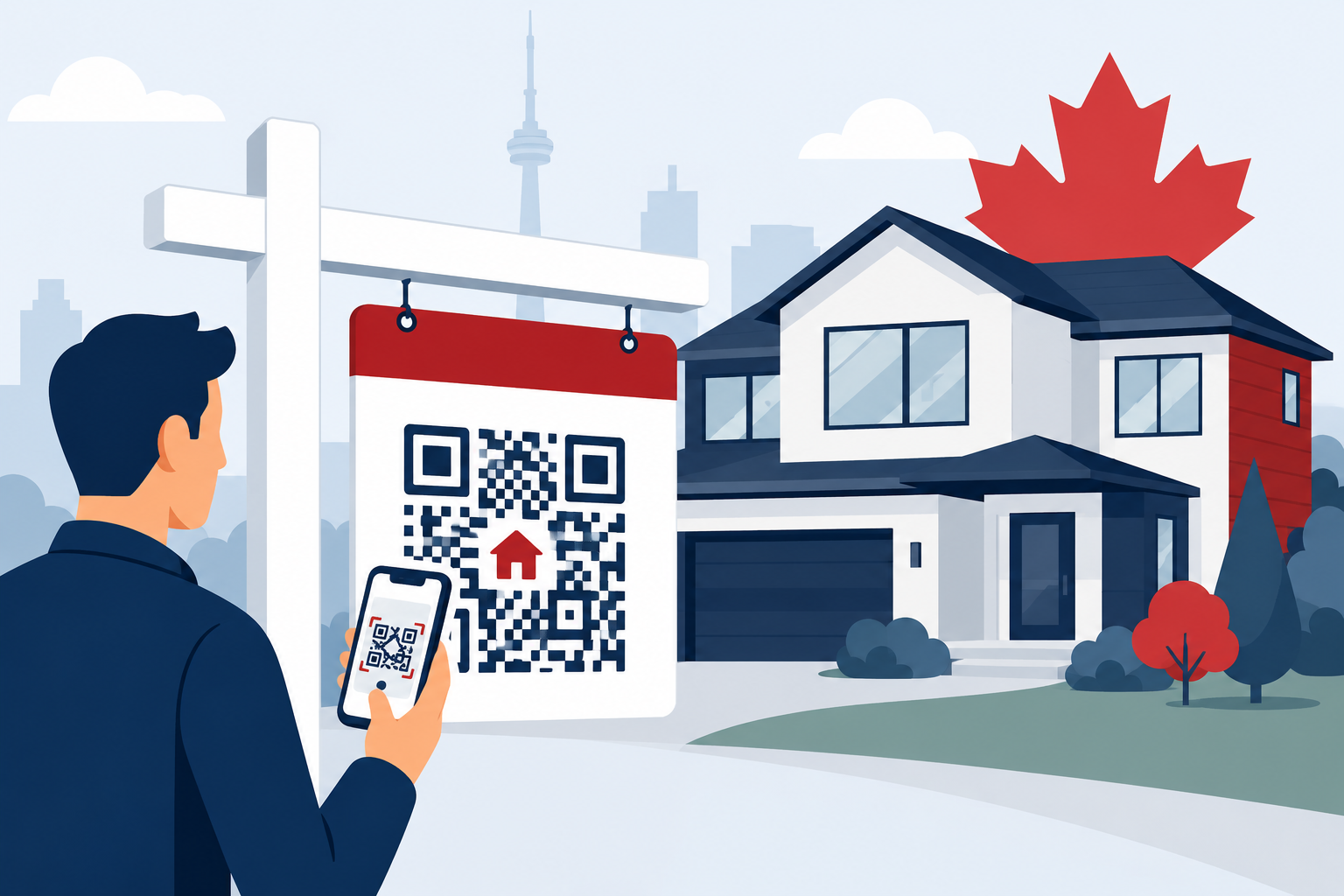
How Realtors in Canada Use QR Codes to Sell Homes Faster
Canadian real estate agents use QR codes on signs, flyers, open house materials, mailers, and business cards to give buyers instant access to photos, virtual tours, and bookings. Dynamic QR codes can be updated after printing, track scans, and capture leads automatically.
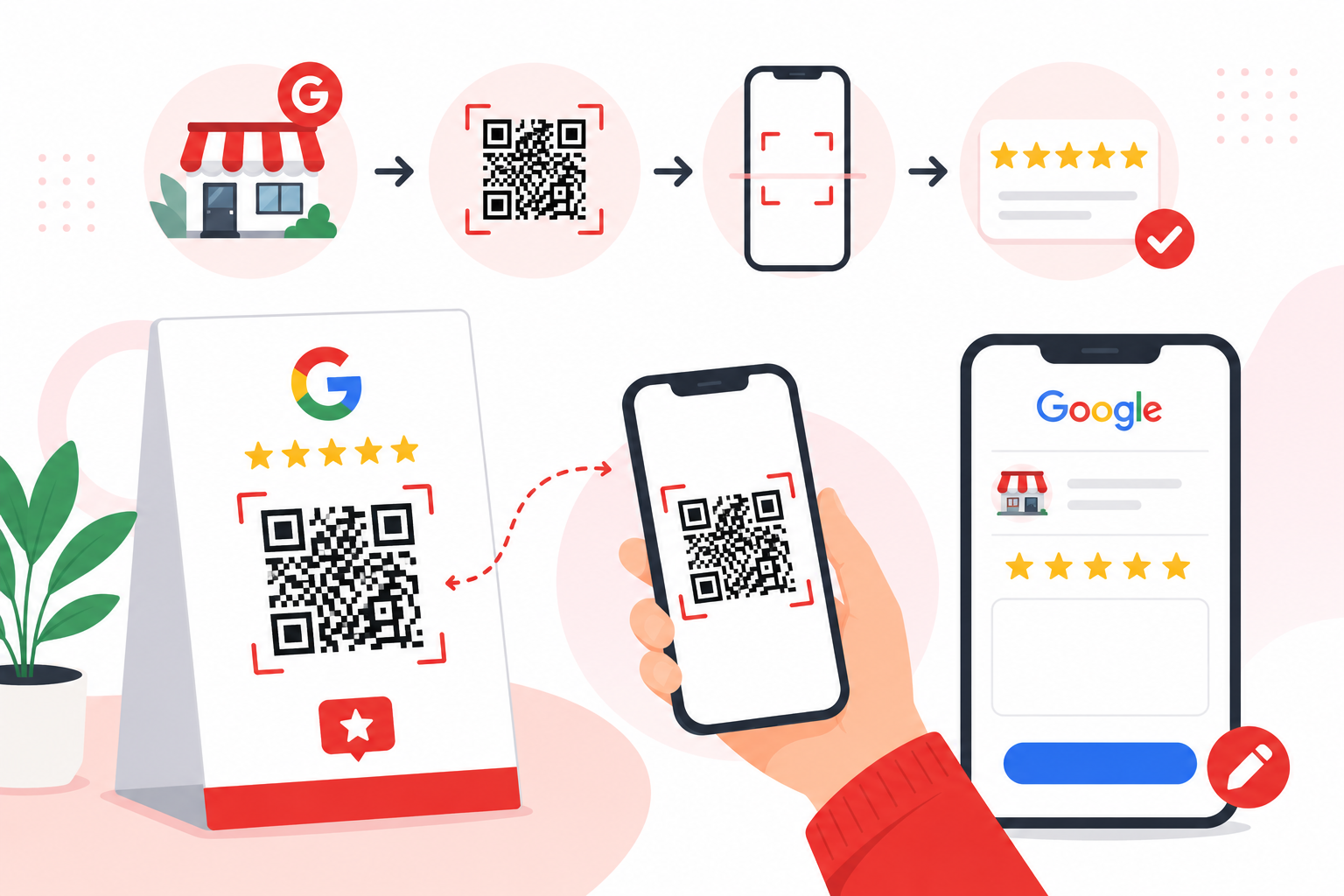
How to Make a QR Code for a Google Review Link?
To make a QR code for a Google review link, open your Google Business Profile on a computer, select Read Reviews then Get more reviews, copy the review link (or right-click the QR code Google shows you and save it), then print it on receipts, cards, or table tents.
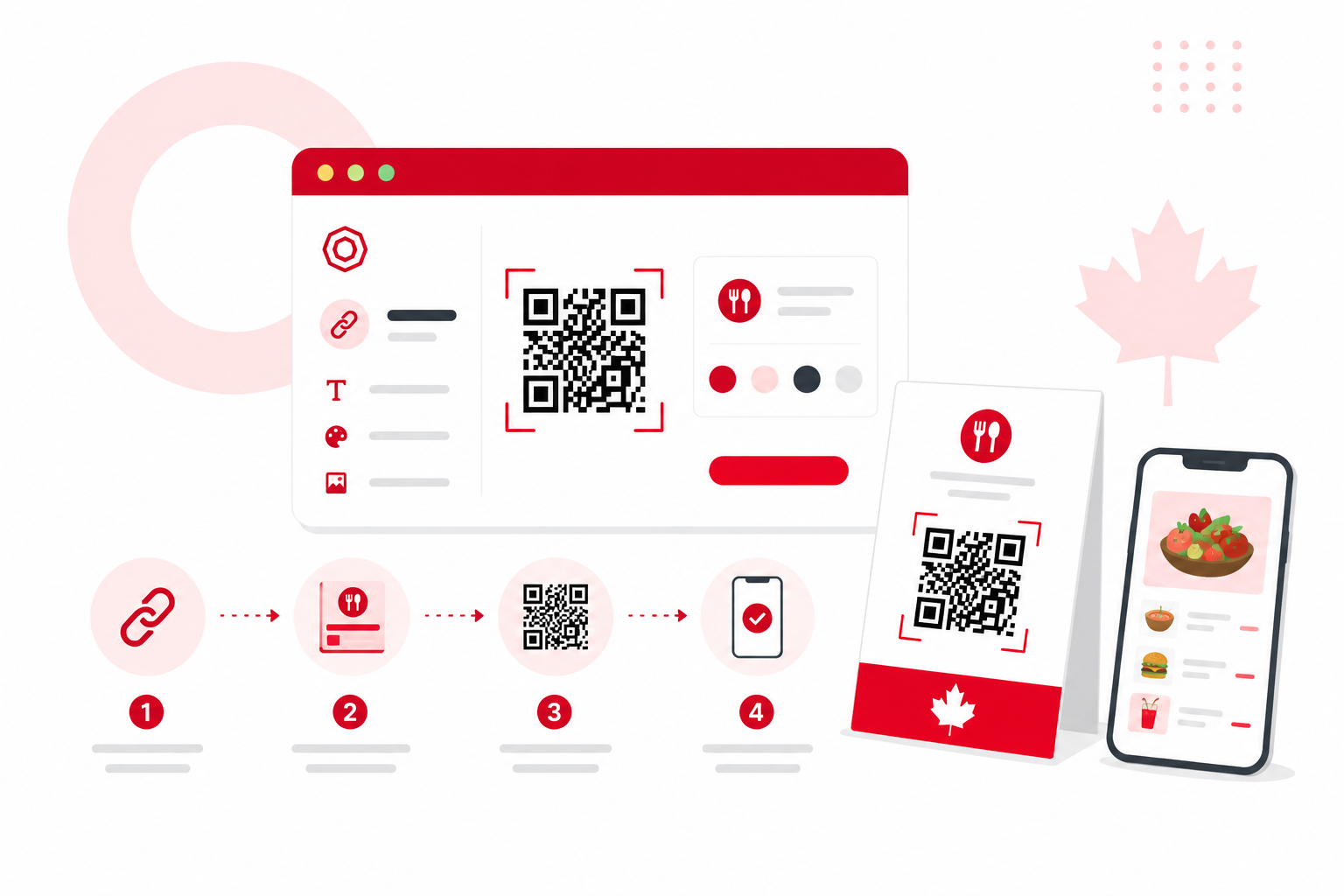
How to Create a QR Code for Restaurants in Canada?
Creating a QR code for your restaurant takes about ten minutes. Put your menu online as a mobile-friendly web page, paste that link into a QR code generator, download the code as a high-resolution file, then print and test it on a few phones before it reaches a table.